Your MTG Collection,
Anywhere You Browse
Instantly know what cards you own, what you need to buy, and where your copies are while browsing EDHREC, Scryfall, and more. For brewers who'd rather use a browser than a spreadsheet.
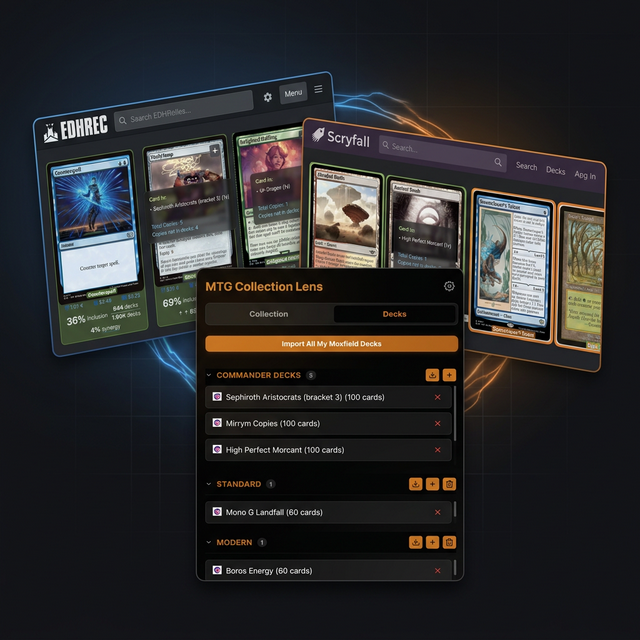
Seamlessly Integrated
Works out of the box with your favorite MTG sites.
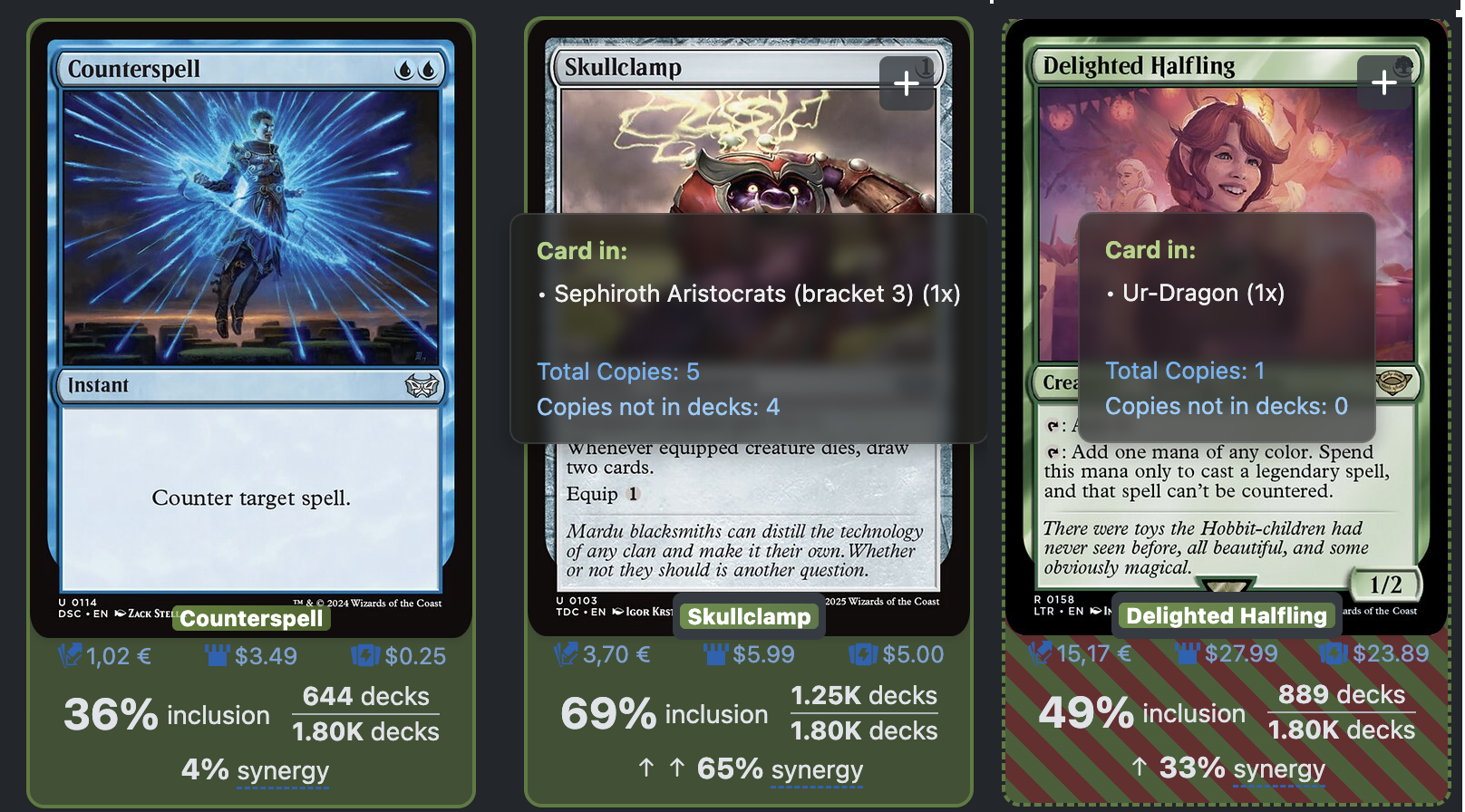
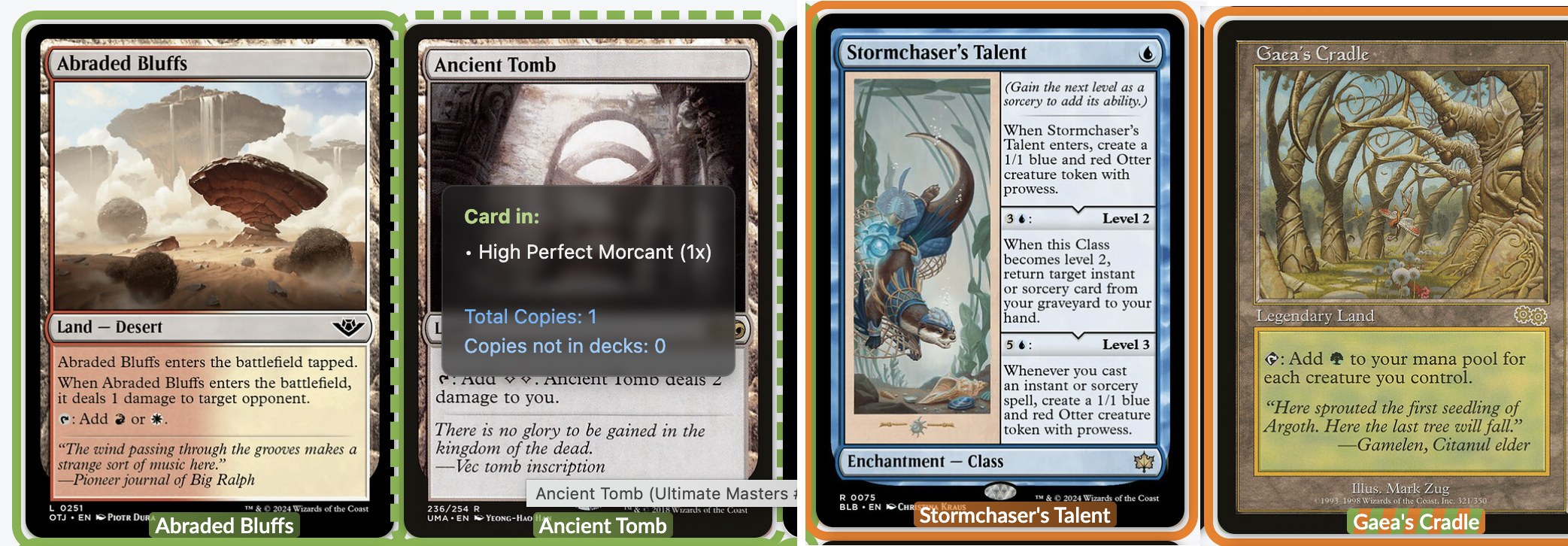
Smart Highlighting
Automatically identify cards you own, need, or proxy while browsing your favorite Magic sites. Supports EDHREC, Scryfall, MTGGoldfish, MTGDecks, MTGTop8, Cardmarket, TCGPlayer, and Manapool.
Collection & Decks
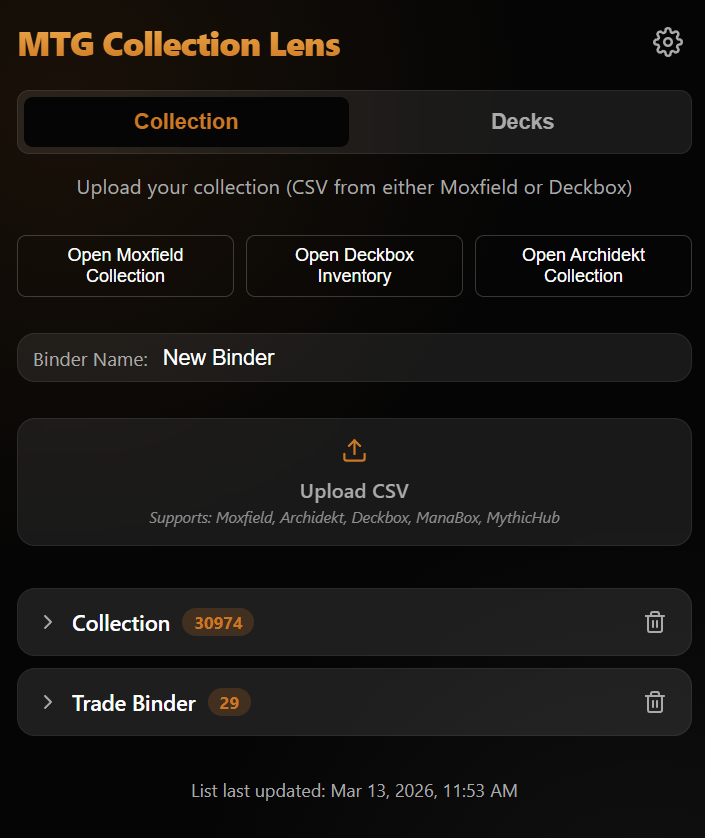
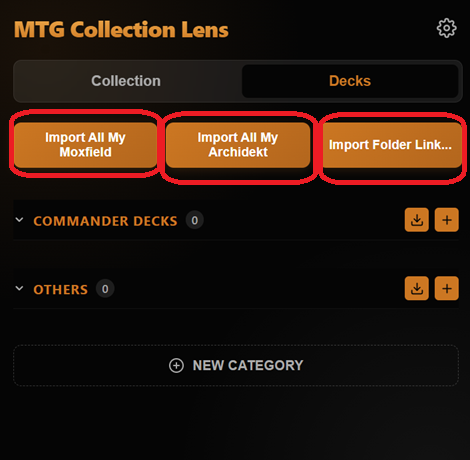
Import your collection via CSV from Moxfield or Deckbox. Sync all your Moxfield or Archidekt decks automatically with one click, or import a specific folder.
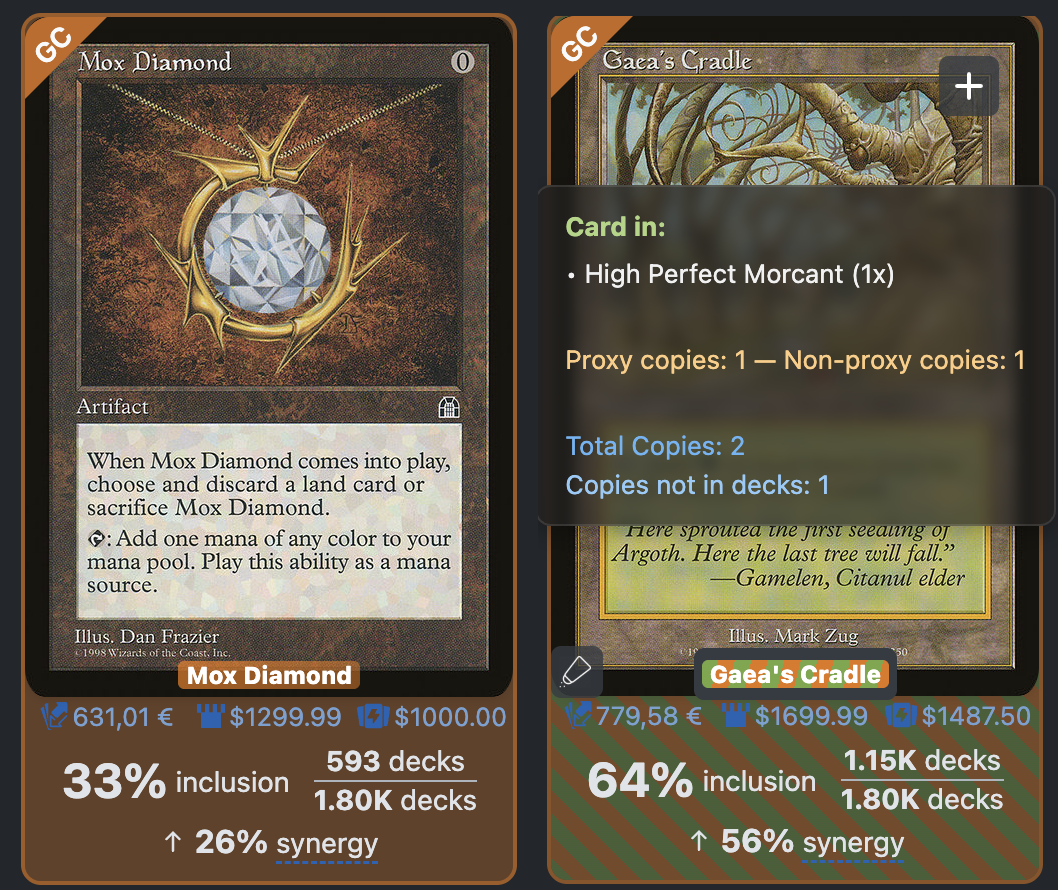
Inventory Badges
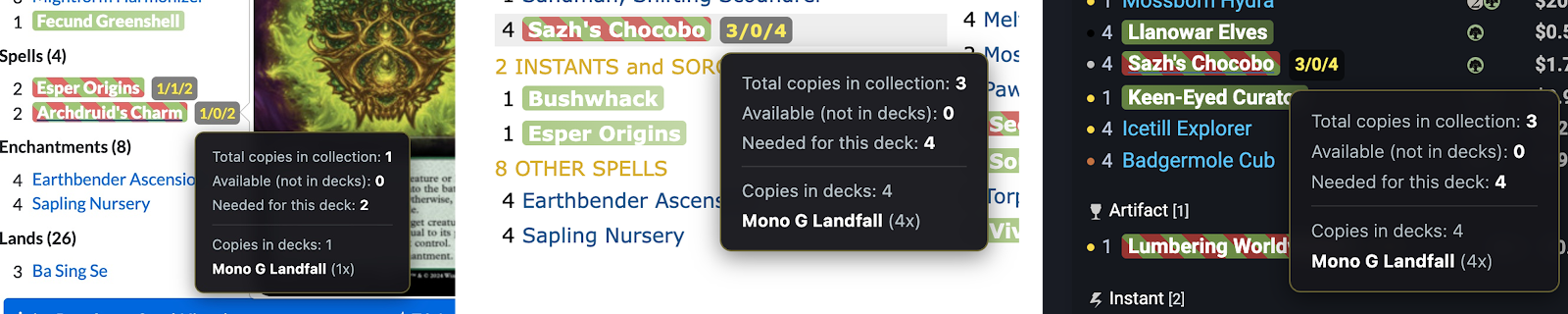
Hover over any card to see its real-time status across your entire collection: Total Owned, Available, and Needed for the list. Support for MTGTop8, MTGDecks, MTGGoldfish, and Marketplaces like Cardmarket/TCGPlayer.
Check your collection while browsing shopping sites!
Seamlessly integrated with your favorite marketplaces. Know exactly what you need while shopping on Cardmarket, TCGPlayer, and Mana Pool, preventing accidental duplicate purchases and ensuring you get exactly what your decks require.

Documentation
Manage Collection & Decks
The core of MTG Collection Lens is your database. Here's how to keep it synchronized and accurate.
Import Collection
To start highlighting cards, you need to upload your inventory. We support CSV exports from the most popular collection managers.
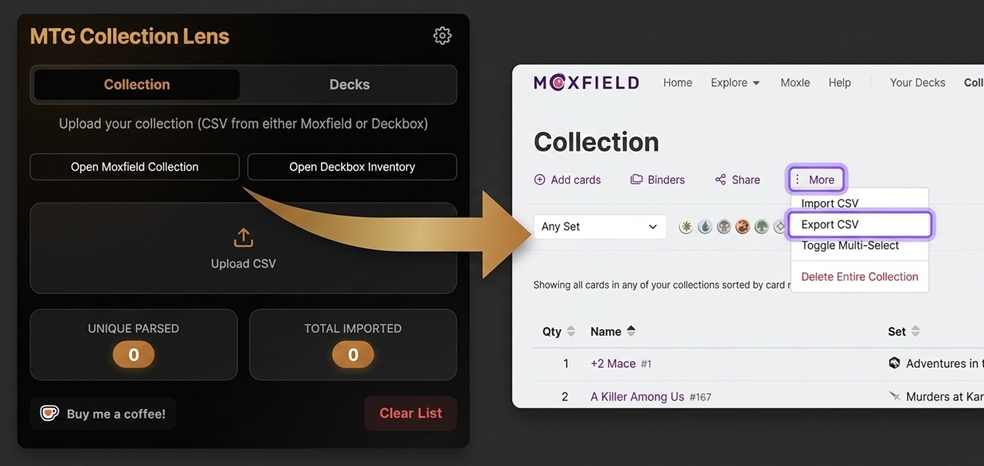
1. Use "Open Moxfield Collection" or "Archidekt Collection"
Inside the extension popup, use the Open Moxfield Collection or Open Archidekt Collection button. It will take you directly to the correct page and we'll highlight exactly where to click to get your file.
1b. Download Inventory from Deckbox, ManaBox or MythicHub
If you track your collection via Deckbox, Ma naBox or MythicHub, you can simply download your inventory CSV and upload it directly.
2. Upload to a named Binder
Set a binder name (e.g. "Trade Binder") and drag and drop the file into the extension's upload zone. Multiple binders allow you to keep your collection organized and tracked separately.
Decks Management
Adding your decks allows the extension to show you which cards are "Available" versus "In Use".
One-Click Sync (Recommended)
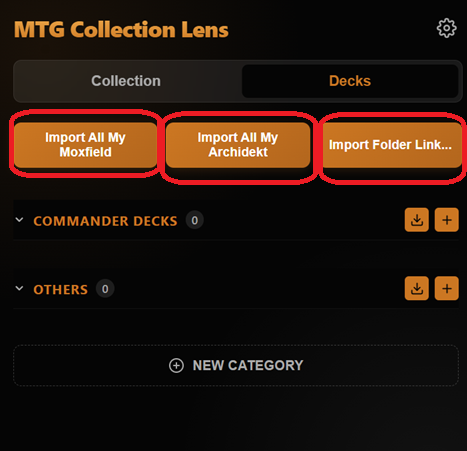
The easiest way to track your decks is the Import All My Moxfield Decks or Import All My Archidekt Decks button. Note that you must be logged into the respective service in your browser for this to work.
Manual Deck Insertion
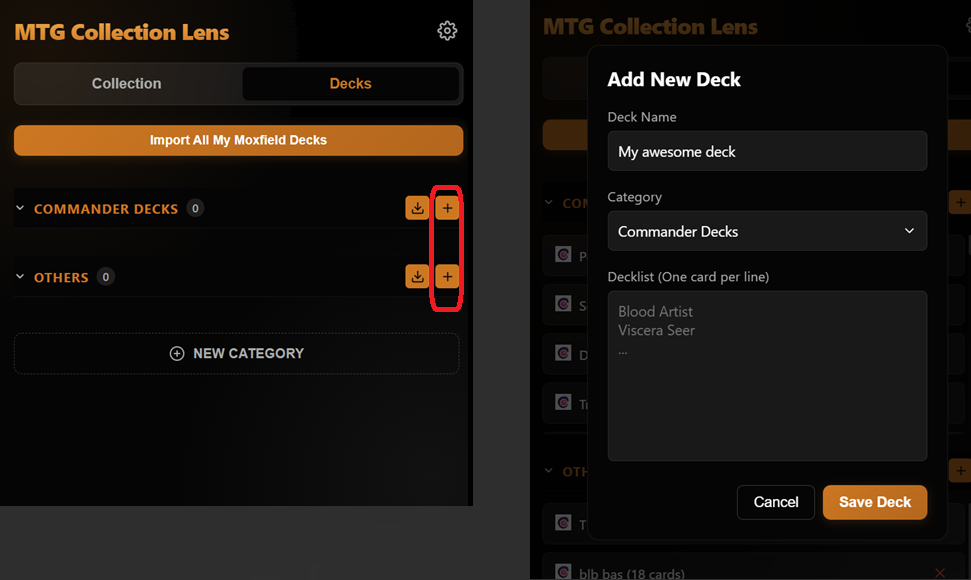
Not on Moxfield? No problem. Use the New Deck button and paste your
list. We support standard text formats (e.g., 1 Sol Ring).
Bulk Import from Folder/User
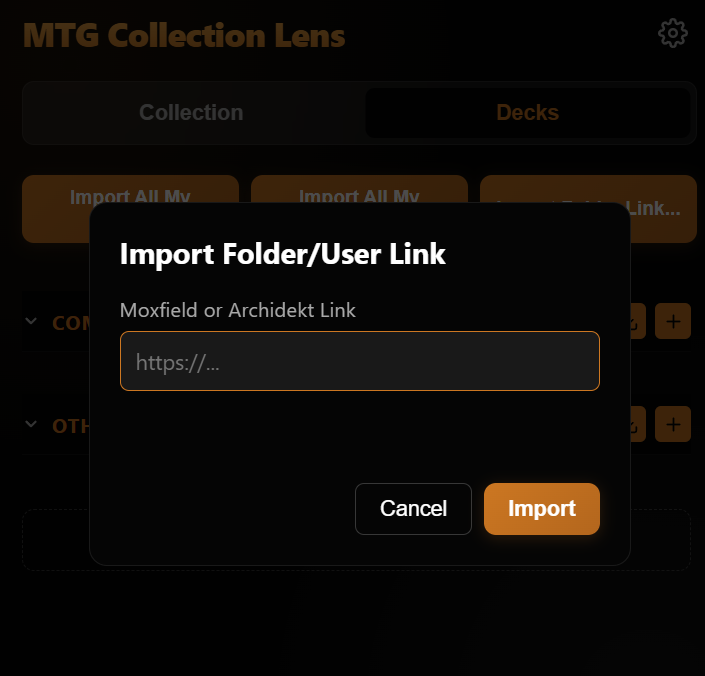
Use the Import Folder Link... button to import dozens of decks at once. Simply paste a link to a Moxfield User profile or a specific Archidekt folder, and the extension will scan and import every public deck found.
The [[Proxy]] Tag
Want to track playtest cards? Add [[Proxy]] to any line in your
decklist. The extension will highlight these in Orange instead of
Green, so you always know what's real and what's a proxy.
Category Management
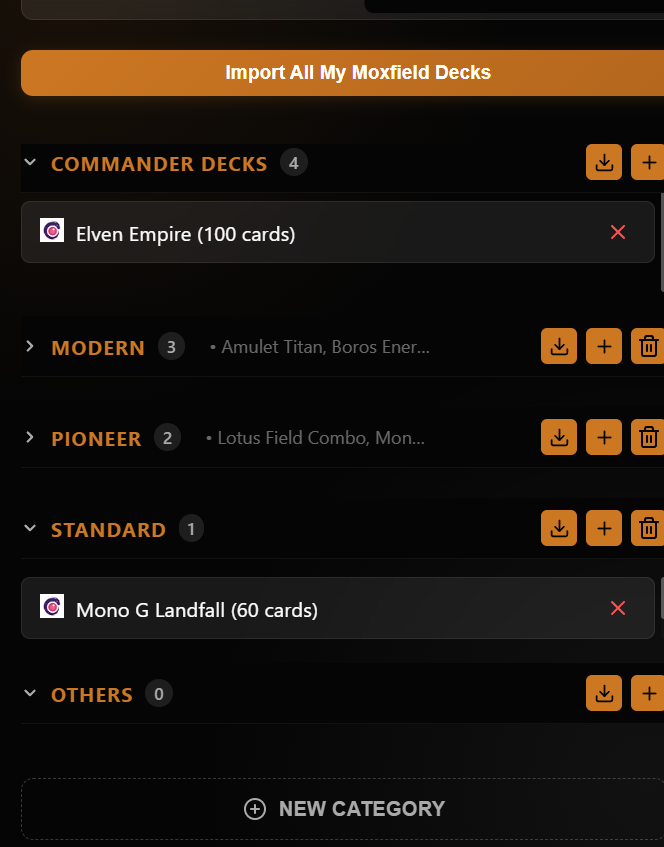
- New Categories: Create custom categories like "Standard," "Trade Binder," or "Playtest" using the New Category button.
- Drag-and-Drop: Reorder your categories globally by dragging their headers, or sort decks within/between categories with ease.
- Auto-Categorization: Moxfield imports automatically sort decks into "Commander Decks" if a commander is detected.
- Flexible Deletion: Deleting a custom category is safe—any decks inside are automatically moved to "Others."
Settings
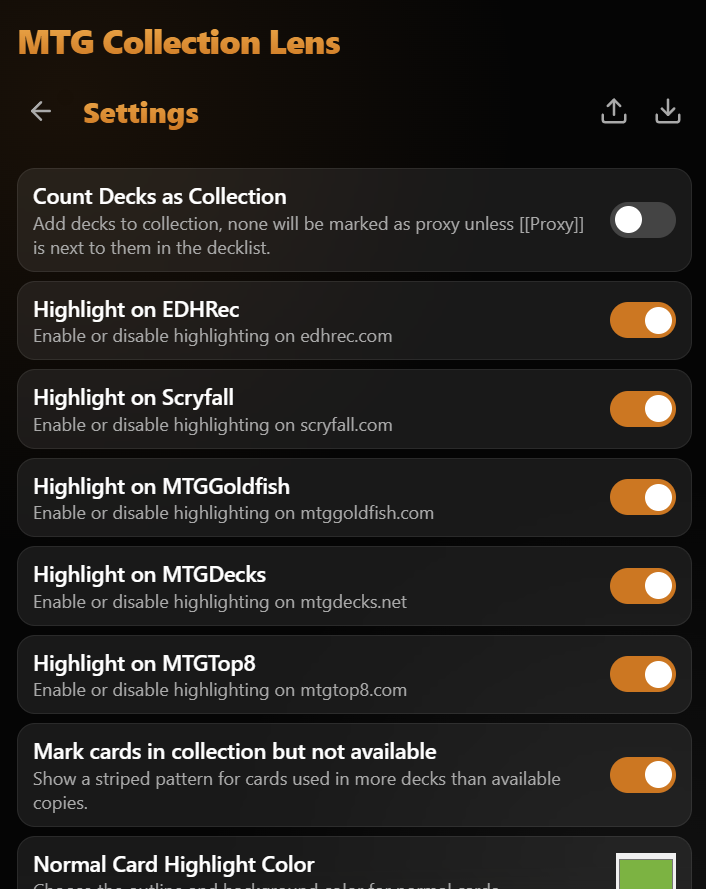
Customize the behavior and appearance of the extension to fit your workflow.
- Count Decks as Collection: Toggle whether your decklists contribute to your total owned count.
- Mark Unavailable: When enabled, cards needed for a list but not in your collection are marked as such.
- Color Customization: Pick custom highlight colors for standard cards and proxies to match your preference.
- Site Toggles: Choose exactly where the extension should activate. Support for EDHREC, Scryfall, MTGGoldfish, MTGDecks, and MTGTop8 can be toggled individually.
- Show Binder Info: Display information about your specific binders on the respective websites.
- Database Management: Export your entire state (collection, decks, and settings) as a JSON file for backup or multi-device sync.
Get Started
Install the Extension
Get MTG Collection Lens directly from the Chrome Web Store for the seamless experience and auto-updates.
Chrome Web StoreImport & Sync
Click the extension icon in your toolbar, upload your collection CSV, and hit "Import All My Moxfield Decks" to start highlighting your way through the internet!
Visit your favorite website!
Go to Scryfall, Moxfield, or any other supported website and watch the magic happen!
Support the Development
If you find this extension useful and want to support its continued development, consider buying me a coffee to keep the late-night coding going! Zero pressure, maximum appreciation.
 Support the Project
Known Issues
- Sideboard cards are not imported (Coming soon!)